
Your download has started!
Installing Munjez on Windows
If your browser didn't start the download, click the button below. Once downloaded, run the installer.
Download again
If Windows shows a security warning — here's how to handle it
Scenario 1
Browser blocked the download
1
In Chrome: open the downloads bar → click ⋮ next to the file → Keep
2
A second prompt appears — click Keep anyway
3
In Edge: click ... → Keep → Show more → Keep anyway
4
Run the installer — Windows may then show a SmartScreen warning, follow Scenario 2 below
Scenario 2
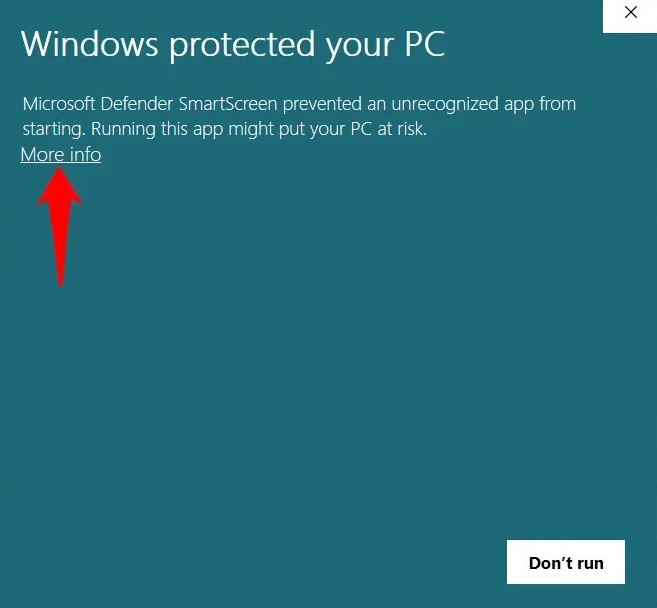
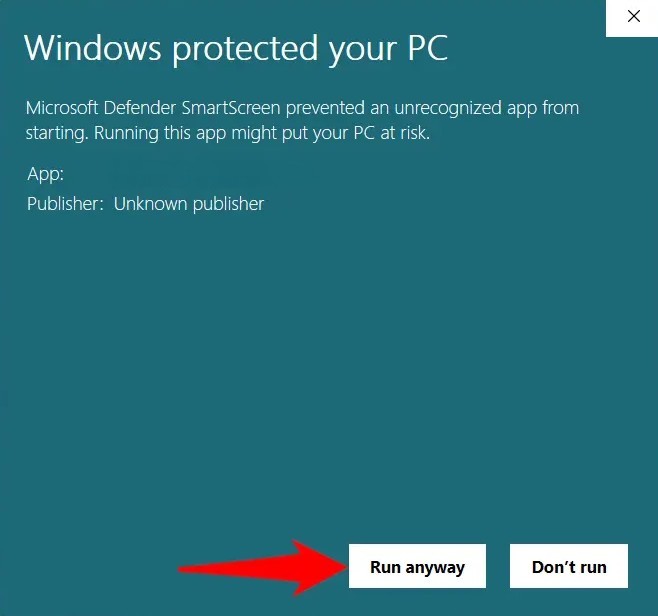
SmartScreen warning appears
1
Click More info
2
Click Run anyway
Scenario 3
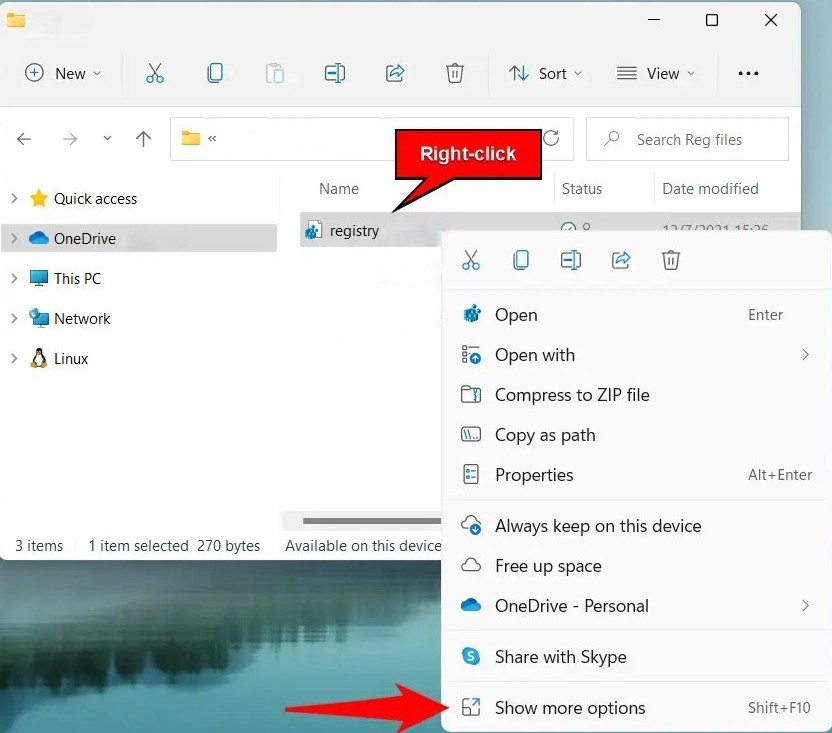
File blocked — can't run at all
1
Right-click the file → click Show more options
2
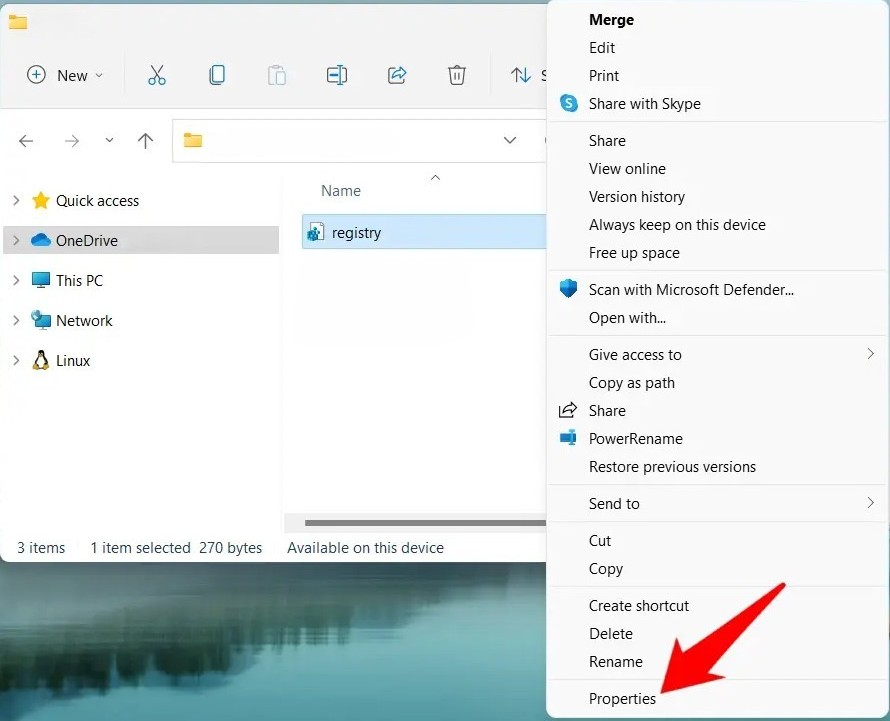
Click Properties
3
Check Unblock → click OK
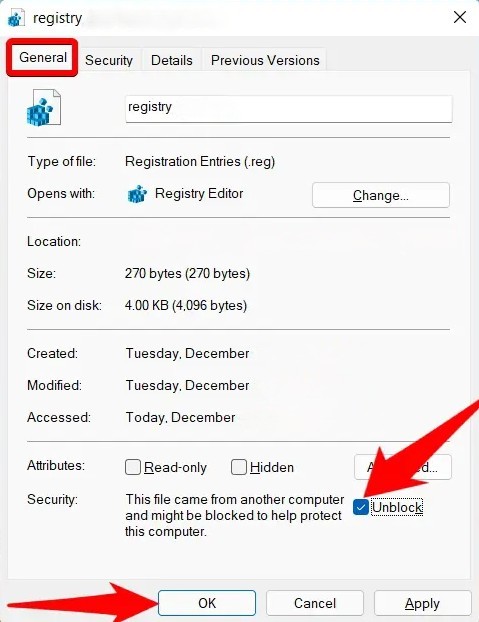
4
Run the installer again
Still having trouble? Our support team is here to help.
Contact Support